What's being tested. How the thumbnail-text relationship reads at scale. The current ship (Variant A) keeps thumbnails small + ornamental; Dan's framing pushes toward full-bleed treatments where the image carries more visual load — but the text still has to be readable.
How to evaluate. Scroll the four sections. For each variant, ask: (a) does my eye land on the right thing first? (b) at a glance — without hovering — can I read every title? (c) which would I want for an archive of 190 cards over a long scroll?
The trade-off space. Image dominance vs text legibility vs scroll-fatigue. A small thumbnail is quiet but ornamental; a full-bleed image is dramatic but heavier. The right answer depends on what the archive is *for* — quick scanning of titles vs visual scrubbing vs editorial showcase.
A — As shipped today
small thumbnail · text row · grayscale defaultQuiet, scannable. 36×36 grayscale thumbnail at the start of each card, text in a row to its right. Image is decorative; eye lands on the title. Hover desaturates and zooms slightly. Currently live on staging.


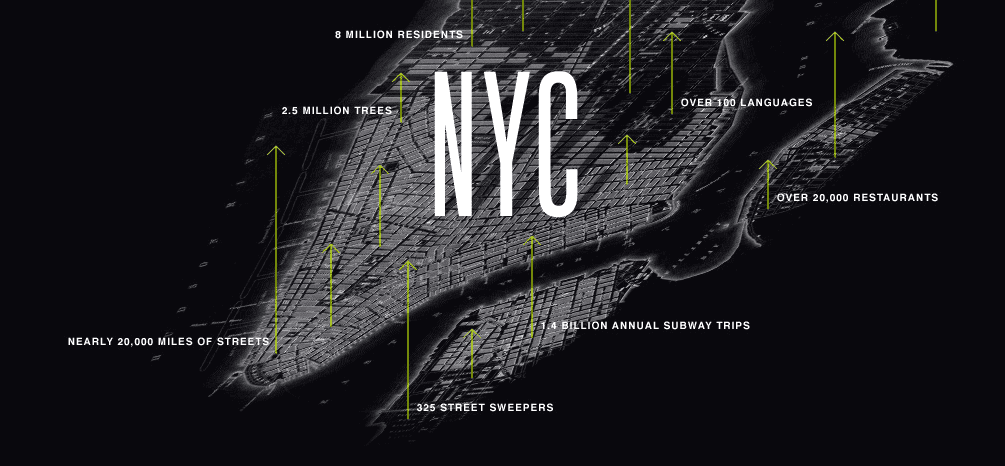
B — Full-bleed + dark scrim
image fills card · gradient scrim · white textEditorial showcase. Image fills the entire card (96px tall). A dark gradient on the left (78% black fading to 10%) holds the white text legibly while letting the image's right side breathe. Hover: scrim lifts to 70%, image saturates and scales 1.03×. Reads dramatic, magazine-style.
C — Transparent image · dark text
image at 28% · default-dark text · saturates on hoverImage as ghost. Image fills card but at 28% opacity over the warm-bg, behaving as a tinted background. Default text colour stays dark, fully readable across all six. On hover the image jumps to full opacity and the text inverts to white with shadow. Closer to your "fill it but with transparency" framing.
D — Full-bleed + text pill
image fills · text in floating bg pill · image preservedImage preserved, text protected. Image fills the card at near-full brightness; the title/cat/date sit inside a translucent pill (92% opaque page-bg with 4px backdrop blur) that floats over the image. Pill anchors the text; image stays present everywhere it's not occluded. More photographic than B; less ghosty than C.
What this tells us. The four variants sit on a spectrum from "thumbnail-as-ornament" (A) to "image-as-content" (B/D). C is the genuine middle — image is the dominant area but kept quiet by opacity. Different surface intents will pick different points on that spectrum: an editorial showcase wants B; a fast scanning archive wants A; a photo-led portfolio wants D.
Watch items. (a) Variant B's text-shadow is a load-bearing readability tool — without it, white text on lighter parts of an image becomes unreadable; verify on a few image-heavy cards (the NYC card here is the stress test). (b) Variant C's hover-text-inversion adds cognitive cost — the text colour changes on hover, which is unusual; some users will find that jarring. (c) Variant D's backdrop-filter: blur isn't supported in older browsers — fallback to solid bg is fine but the effect is the differentiator. (d) All variants depend on image quality; Variant A is most forgiving of low-res / poor-crop CDN images, B/D least forgiving.
Recommendation. If we ship one: C feels closest to your stated brief ("fill the card with transparency so text sits visible") and is the most distinctive without being shouty. A is the fallback if any of the others fail eyeball. B and D are useful as exemplars for other surfaces (a featured-strip page banner, an editorial landing) rather than for an archive of 190 cards.
If we ship two side-by-side: A on the all-posts list (default, scannable) and C/B on a "Featured" sub-strip at the top of the archive. That's the editorial pattern most newspaper sites use — different card density for different pools.